
Everything your rentals need. Nothing they don't.
You're probably running your properties across a spreadsheet, QuickBooks, a photo folder, and your phone. These tools can get most of the job done with some finagling, but they weren't designed for managing properties, so they're not pleasant to use, and leave the last mile of the job unfinished. Controlio brings all of the tools a property owner needs to manage their property under one roof.
Accounting
QuickBooks doesn't know what a building is. Controlio's accounting capabilities are meshed in to its property management.
QuickBooks has no concept of a unit, a tenant, or a lease. This is property accounting from the start, not general accounting bent into shape.
- Chart of accounts AIImport your existing chart via CSV or PDF. Even a balance sheet and income statement are enough to get the chart of accounts built through AI.
- Transaction entryImport transactions from your bank account, with no manual effort. Controlio accepts transactions from major Canadian banks, along with custom CSV structure.
- Auto-categorizationOnce bank transactions are imported, they are automatically categorized using rules you set, and AI suggestions. Just review and approve.
- Receipt capture and matchingStore receipts and have them auto-matched to the right transaction. When the CRA asks about a line, the receipt is already there. Receipts can be either uploaded, emailed to Controlio, or captured using the companion iOS app.
- ReportsFinancial reports, including income statement, balance sheet, cash flow, general ledger, and trial balance. Controlio also shows various property-specific reporting that provides detail not available in typical financial reports.
- Year-end closeClose the books and roll revenue and expenses into retained earnings in one step. Ready for your accountant.
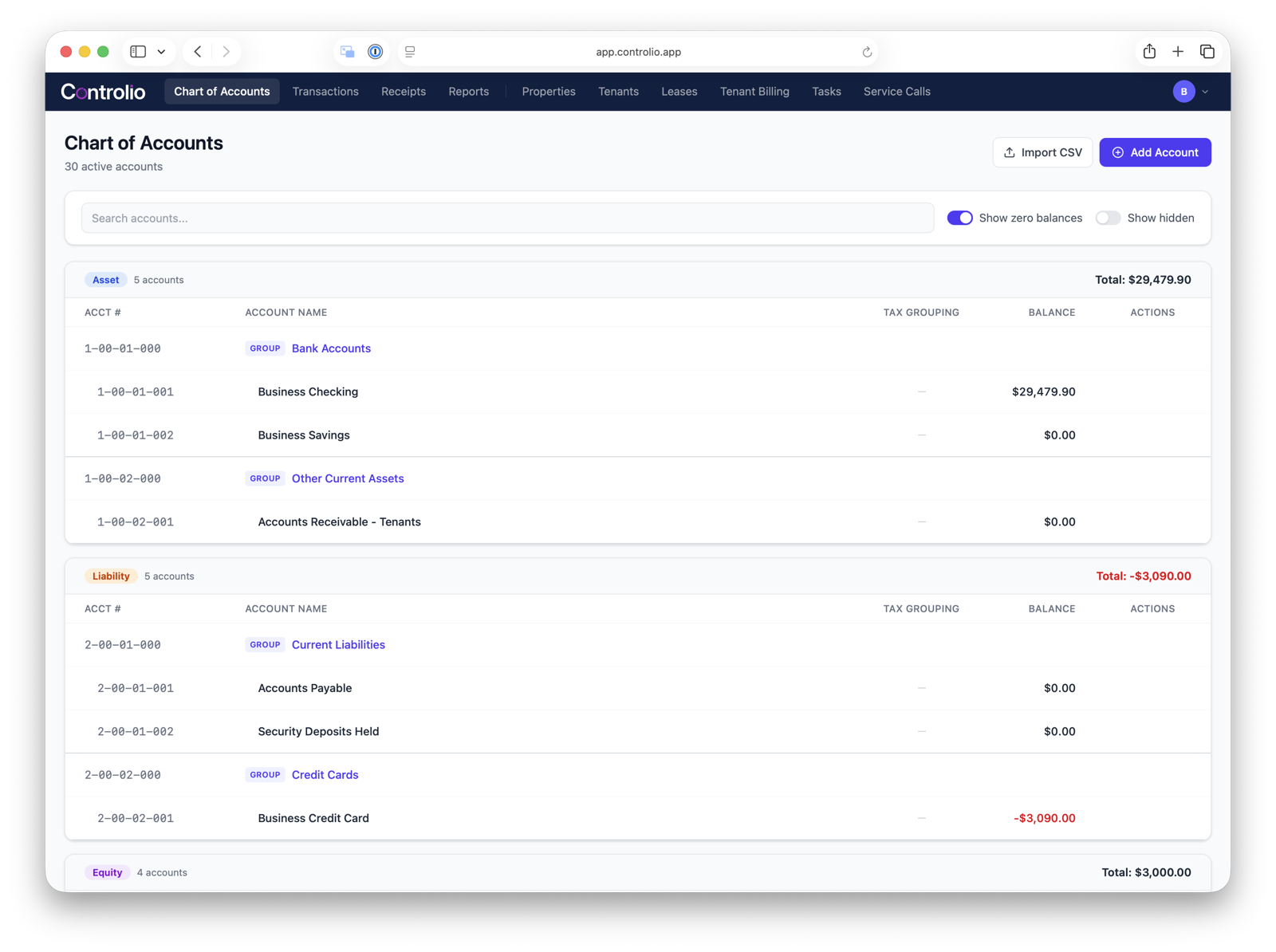
The chart of accounts, organized by Asset, Liability, Equity, Revenue and Expense.
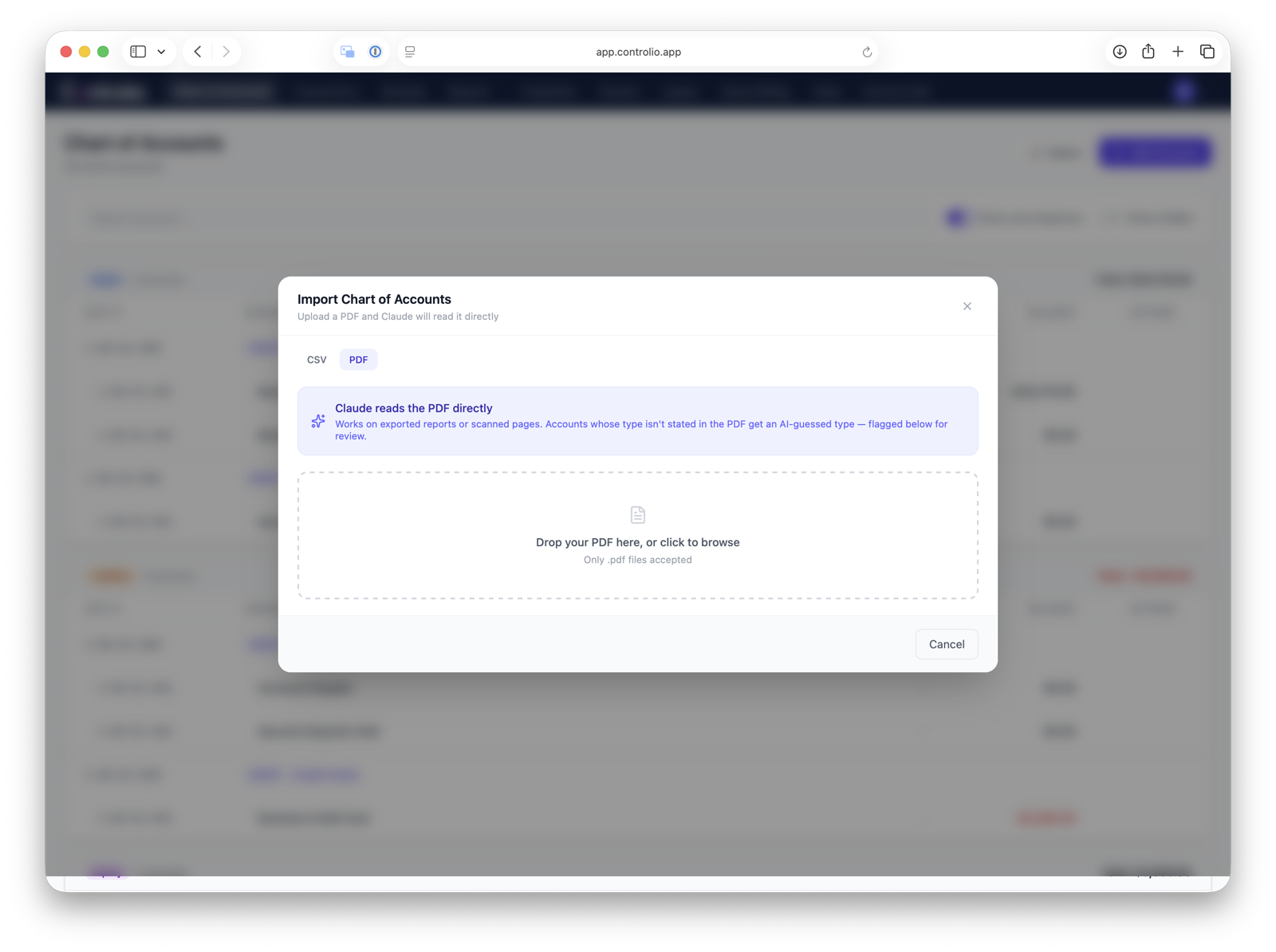
Importing an existing chart of accounts straight from a PDF — no reformatting required.
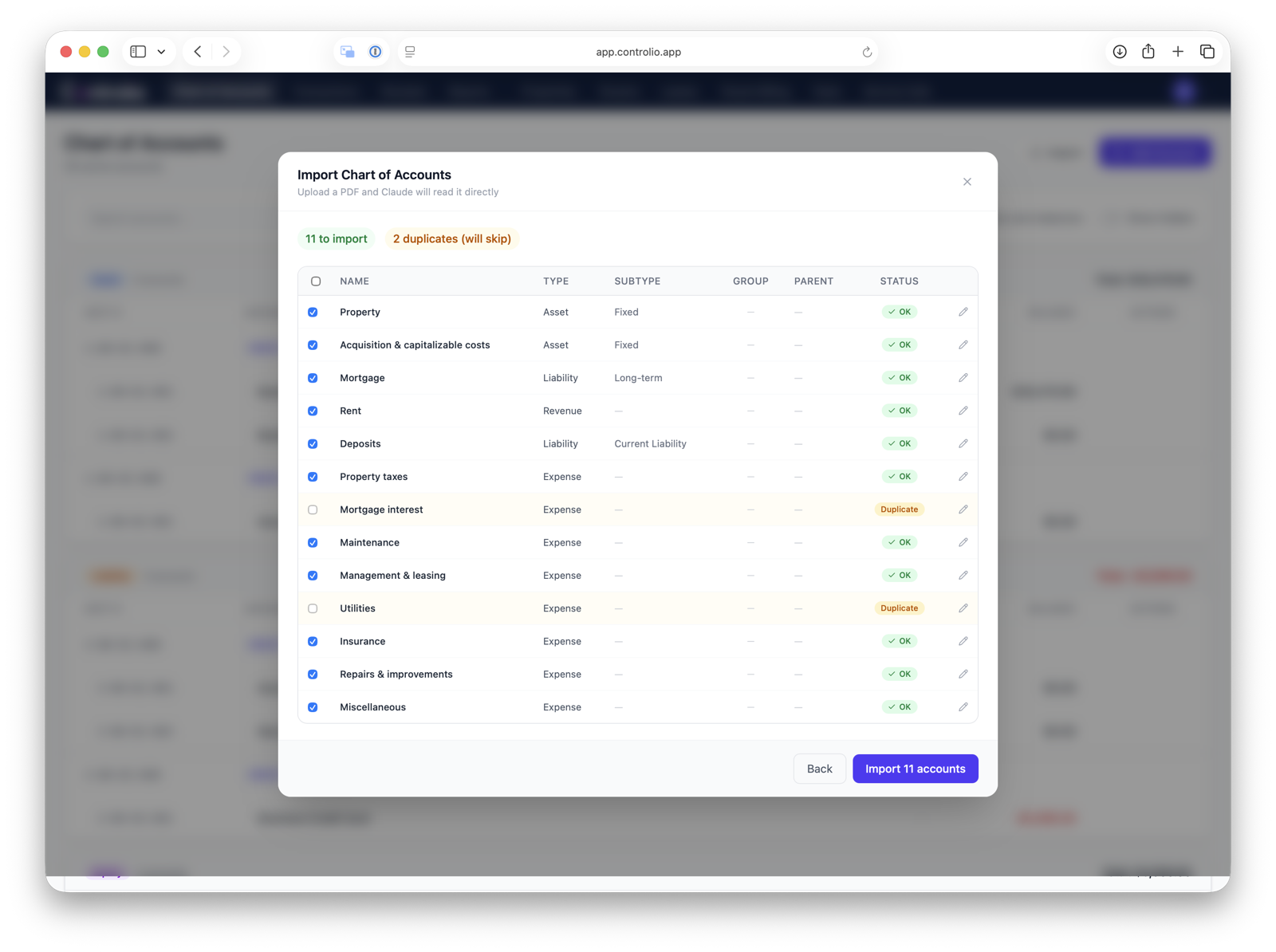
Reviewing AI-matched accounts and duplicates before confirming the import.
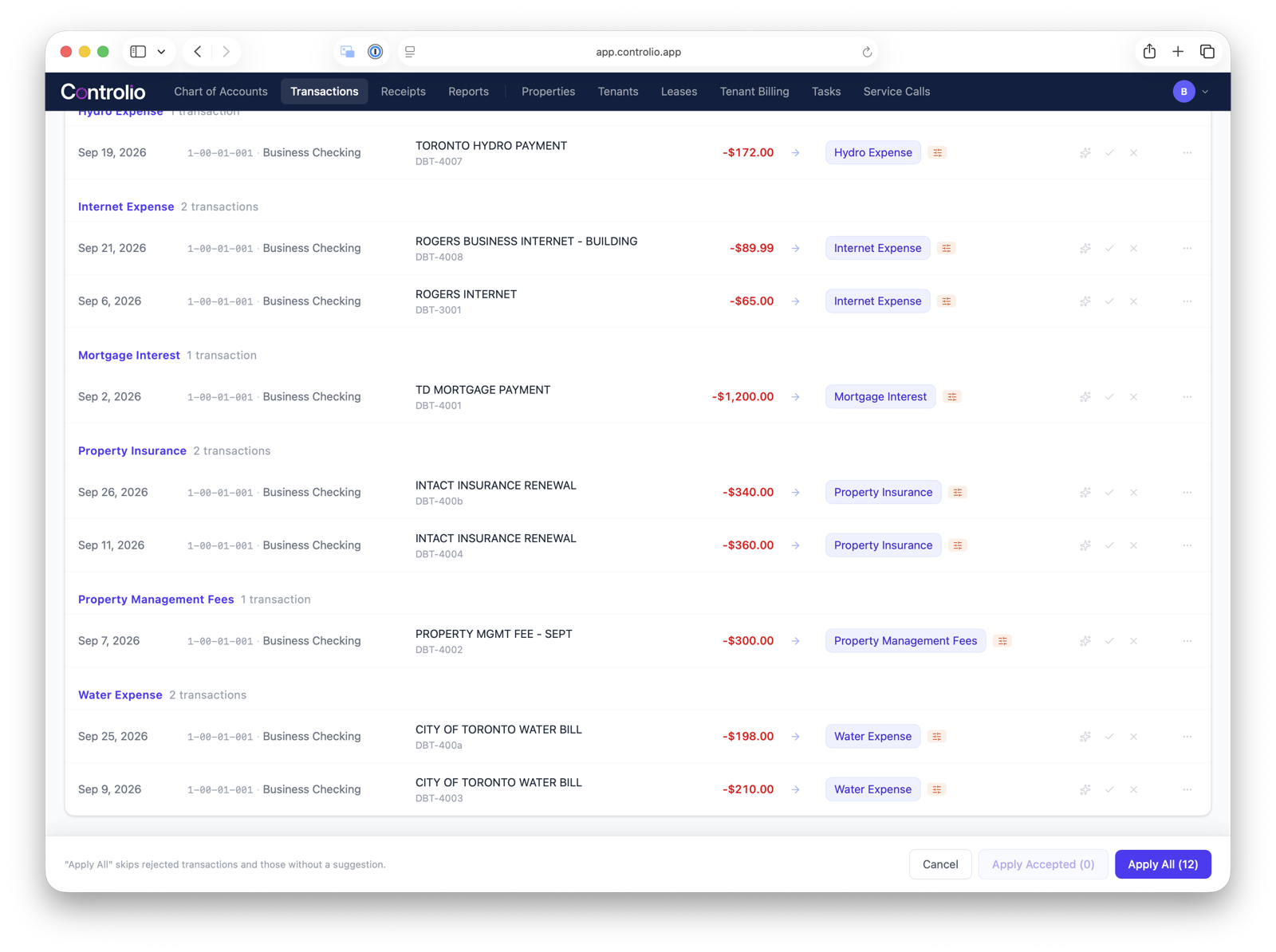
Bank transactions automatically categorized and ready to approve.
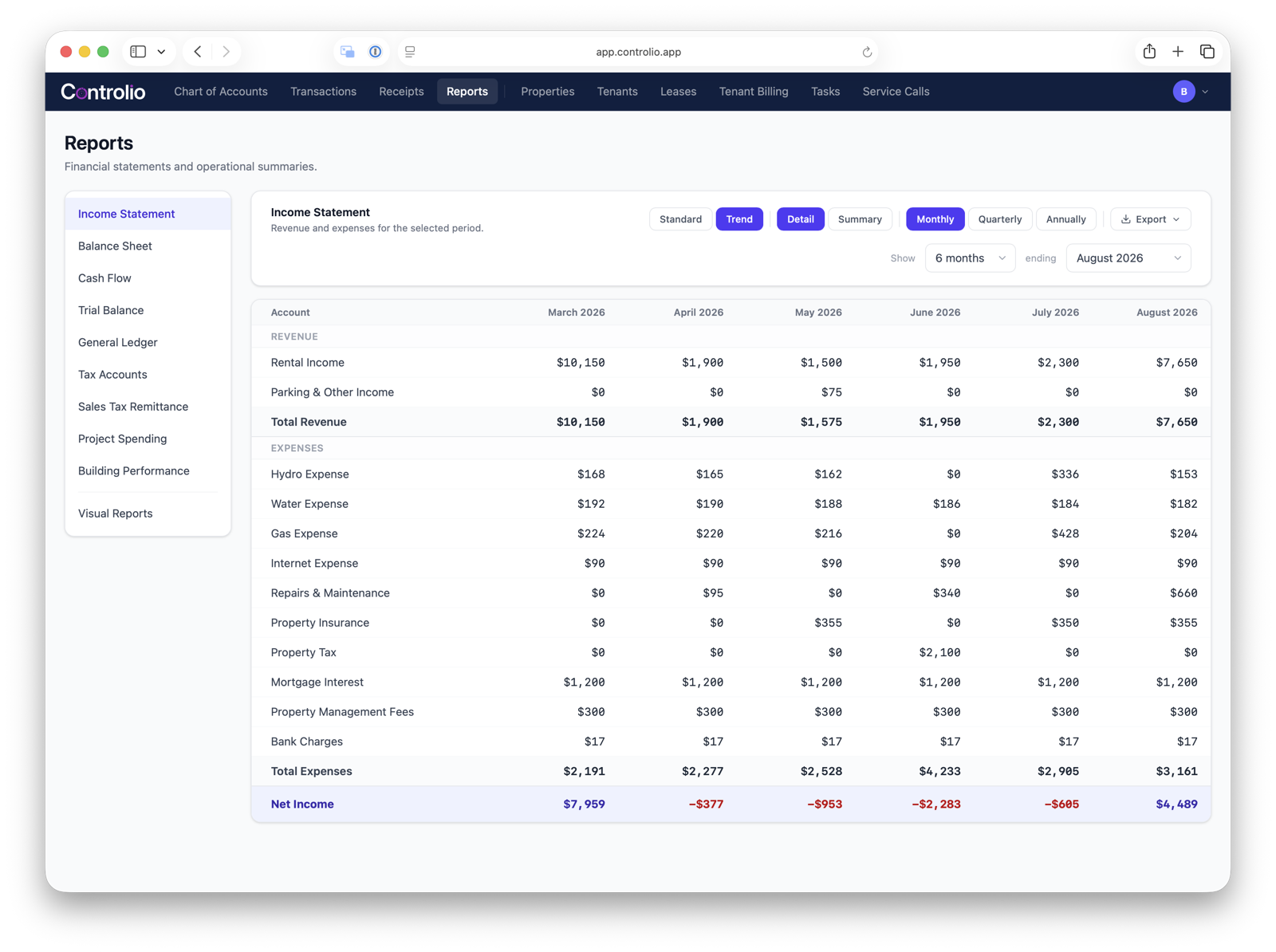
The income statement, broken down by month.
Properties
Store all the details of each property into a custom-tailored database.
Today, appliance details live in a photo you took two years ago. Insurance documents are in email. Floor plans are wherever you last saved them. This puts all of it on the unit itself, findable without a search.
- Building and unit databaseAmenities, utility responsibility (landlord vs. tenant), and appliances tracked per building and unit.
- Apppliance cataloguing AISnap a photo of an appliance. Controlio identifies it and fills in the details, serial number included. Ready for when a tenant calls with a dishwasher leak; your auto-generated email to the technician includes all of the equipment detail they'd need.
- Media and unit profilesPhotos, videos, and floor plans for every unit. Everything a listing or an insurance claim needs, already attached.
- Document storageInsurance, mortgage, and property tax documents, filed by building or entity. Not in a folder somewhere else.
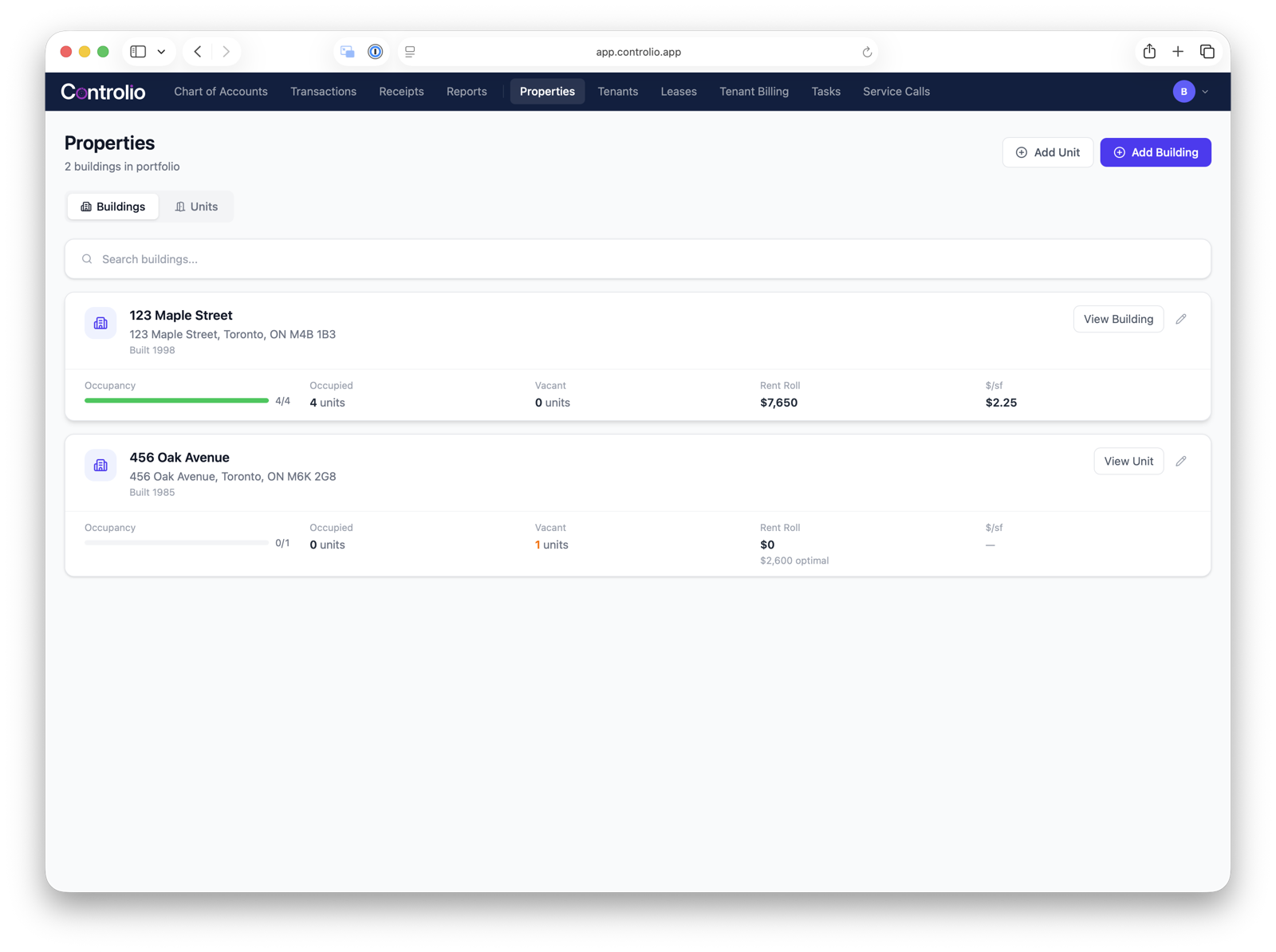
Every building in the portfolio, with occupancy, vacancy and rent roll at a glance.
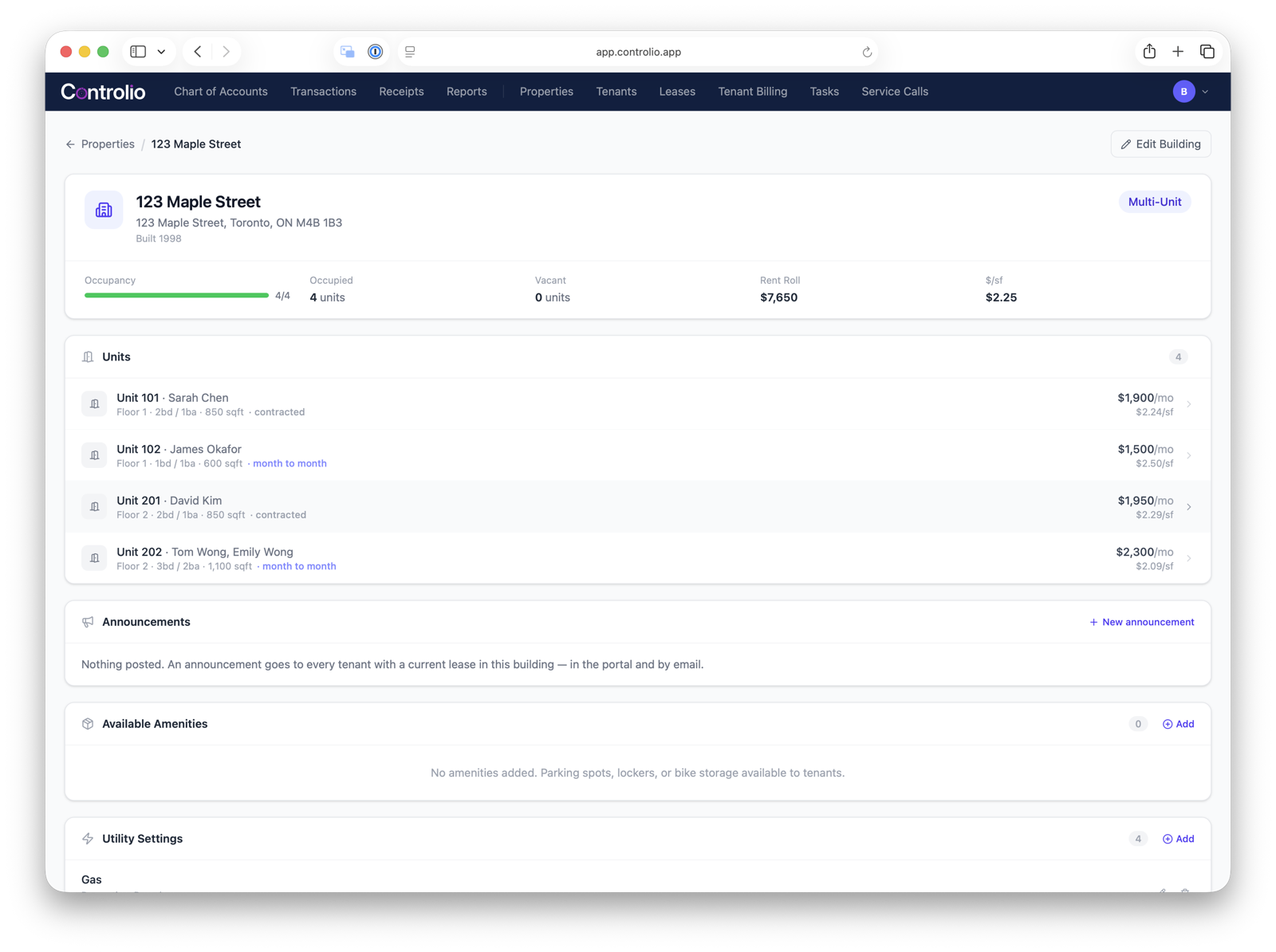
A building's detail page: every unit, its tenant and rent, plus announcements and amenities.
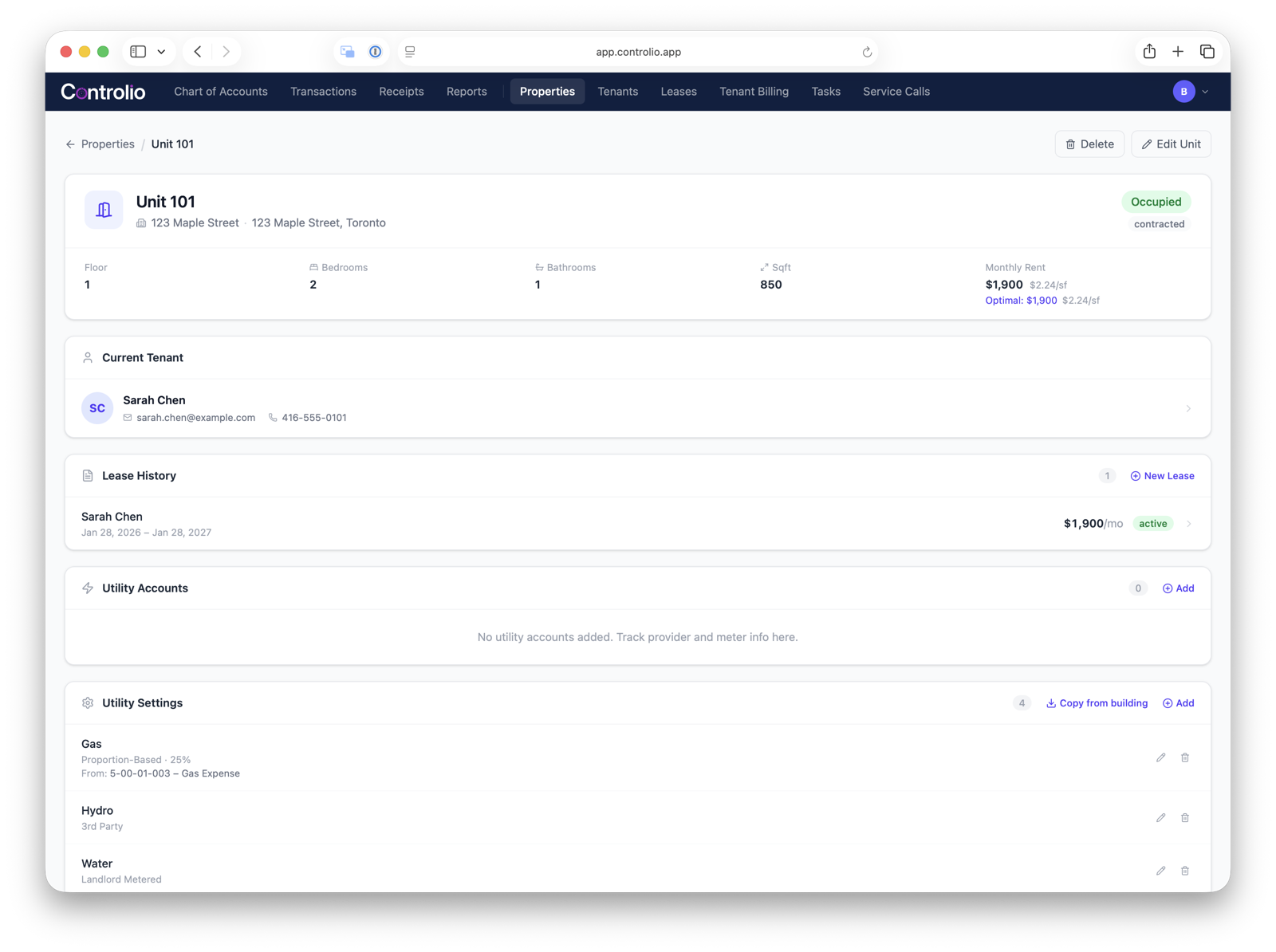
A unit profile with its current tenant, lease history and utility settings.
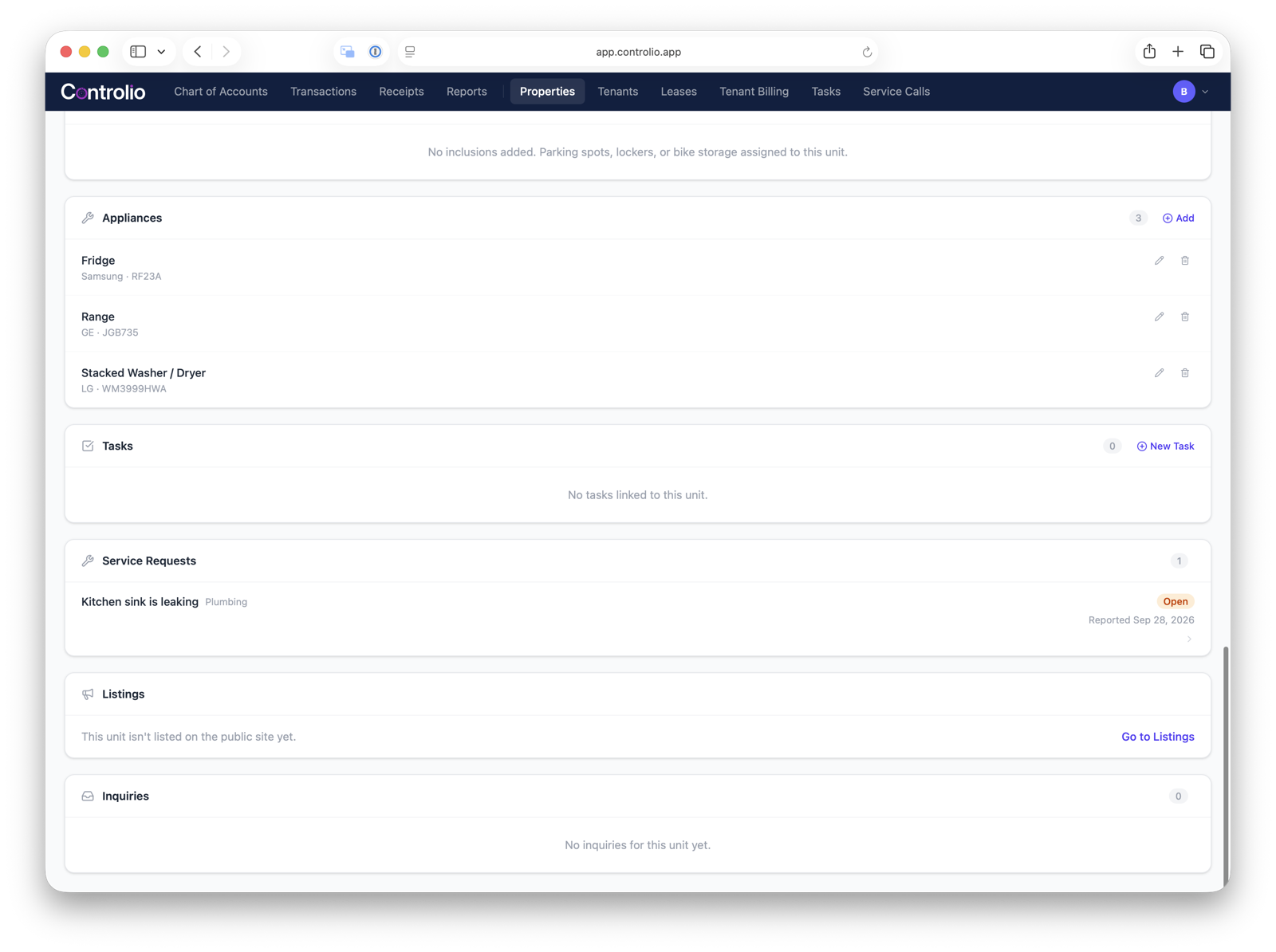
The same unit, scrolled down to its appliances, tasks and service requests.
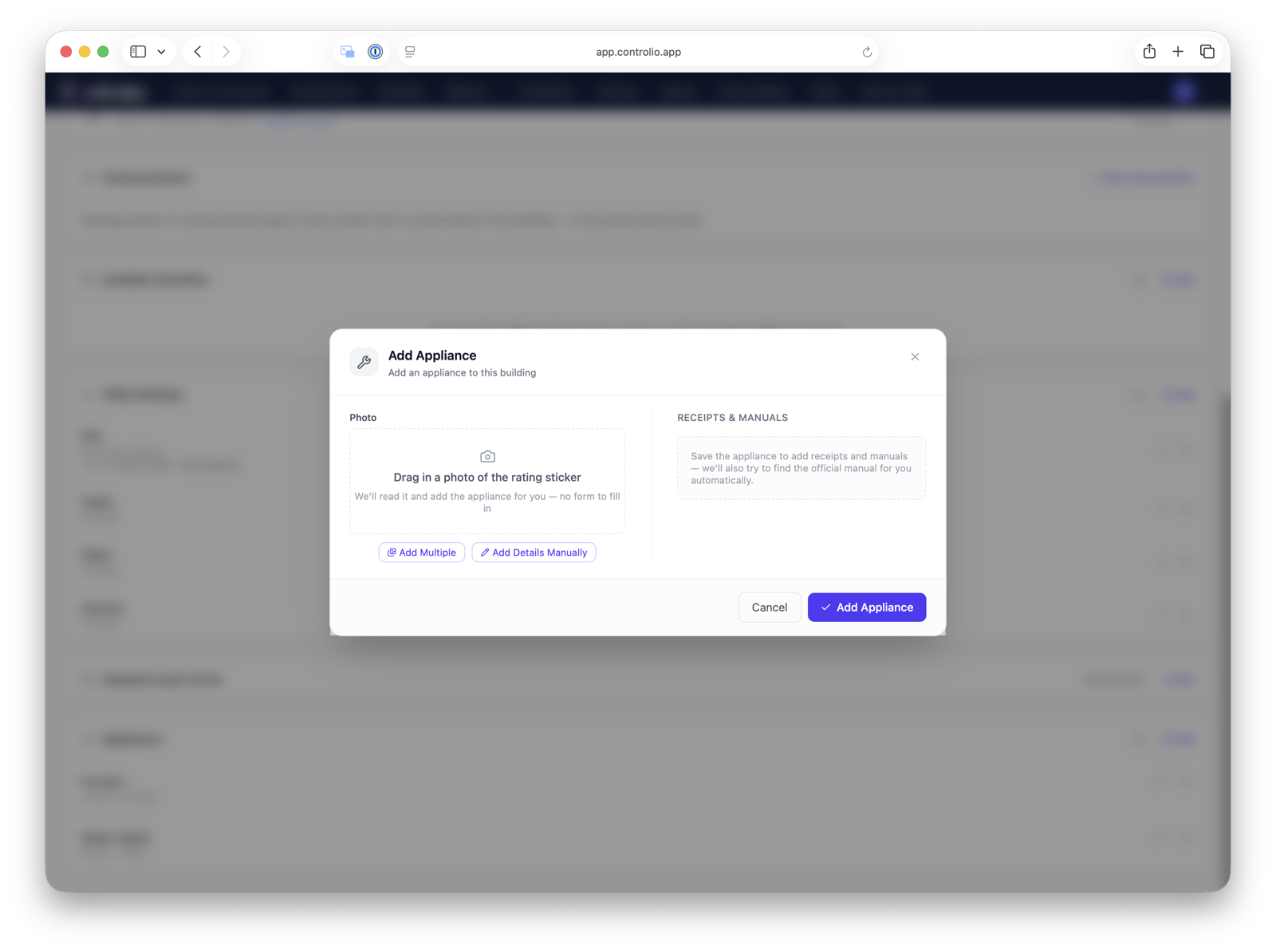
Adding an appliance by photographing its rating sticker — no form to fill in.
Leasing
One record per person, from application to move-out — instead of re-entering the same tenant into three different places.
Most landlords enter an applicant's information when they screen them, re-enter it when they draft the lease, and re-enter it again when they set up rent collection. Here, the record carries through every stage.
- Candidate and tenant recordsOne record per prospect and tenant, from the first application through move-out. No re-entering data across stages.
- Lease creationGenerate lease agreements and the Ontario Standard Lease. N4 notices available, with more RTA forms on the way.
- Rent and tenancy transactionsTrack rent, deposits, and every other tenancy-related payment. Each one posts to the ledger automatically.
- Tenant screening AIDrag in a candidate's files. Get a consistent screening report with key flags in 30 seconds instead of 20 minutes of manual review.
- Tenant billingAutomatically bill tenants for internet, prorated utilities, and other recurring charges. Posted as receivables, not forgotten.
- Compliance remindersLease renewals, rent-increase eligibility, and expiry dates surfaced before they're missed. Not after.
- Public unit landing pageFill a vacancy without writing a listing from scratch. A shareable page per unit, already populated with photos, area and transit info, and a contact form.
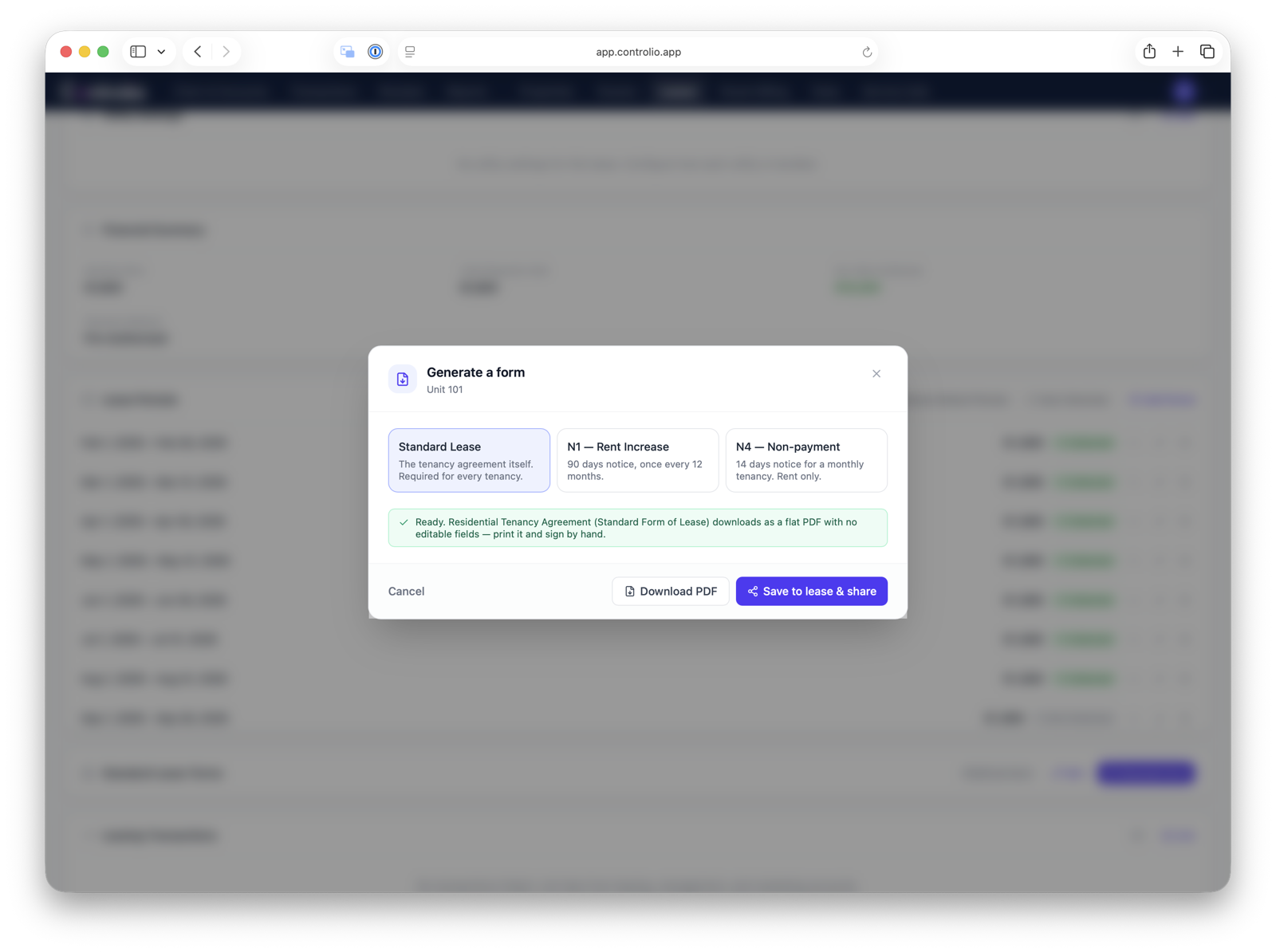
Generating the Ontario Standard Lease, an N1, or an N4 — ready to download or save to the lease.
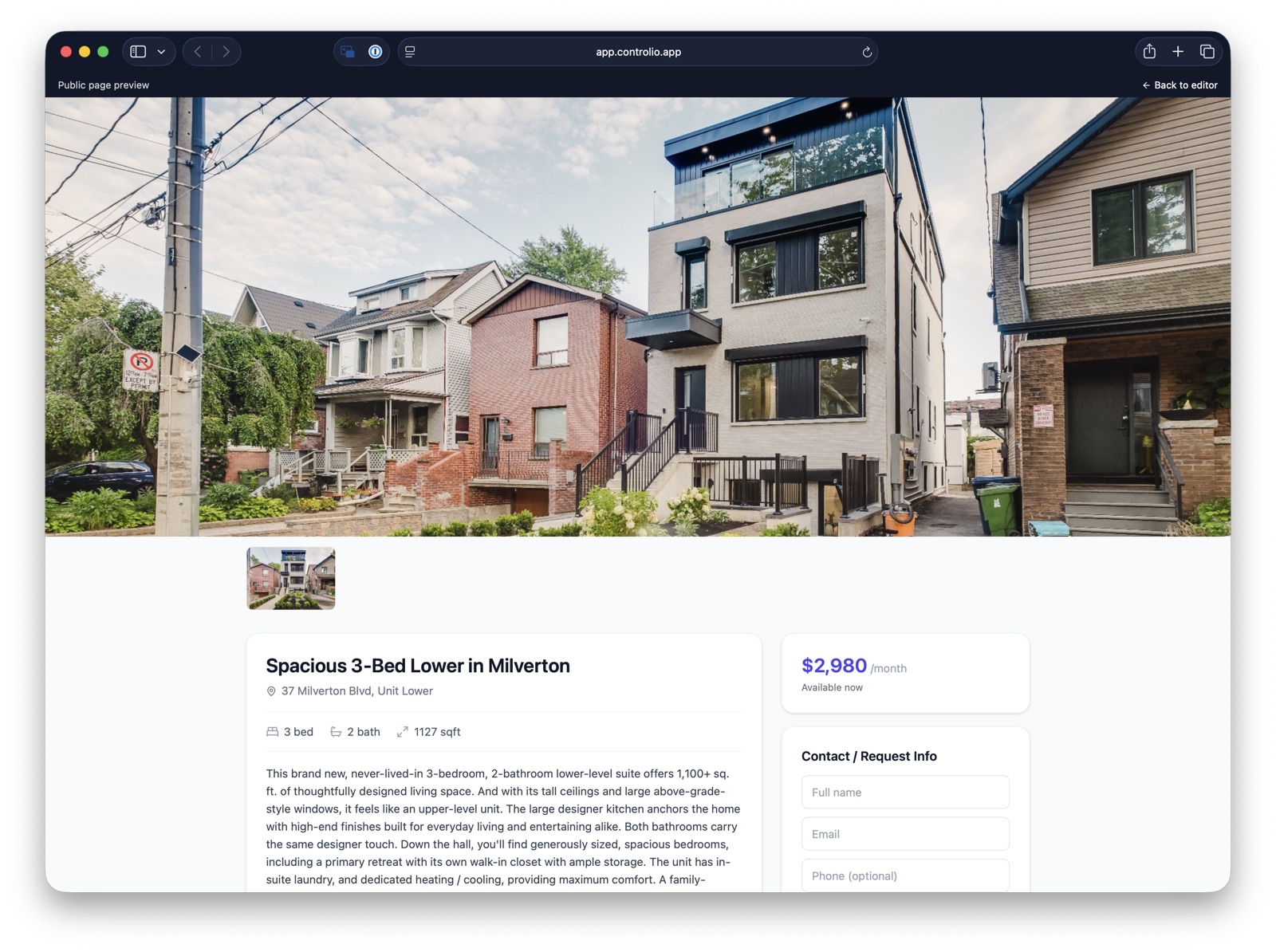
The public landing page for a vacant unit, ready to share with prospects.
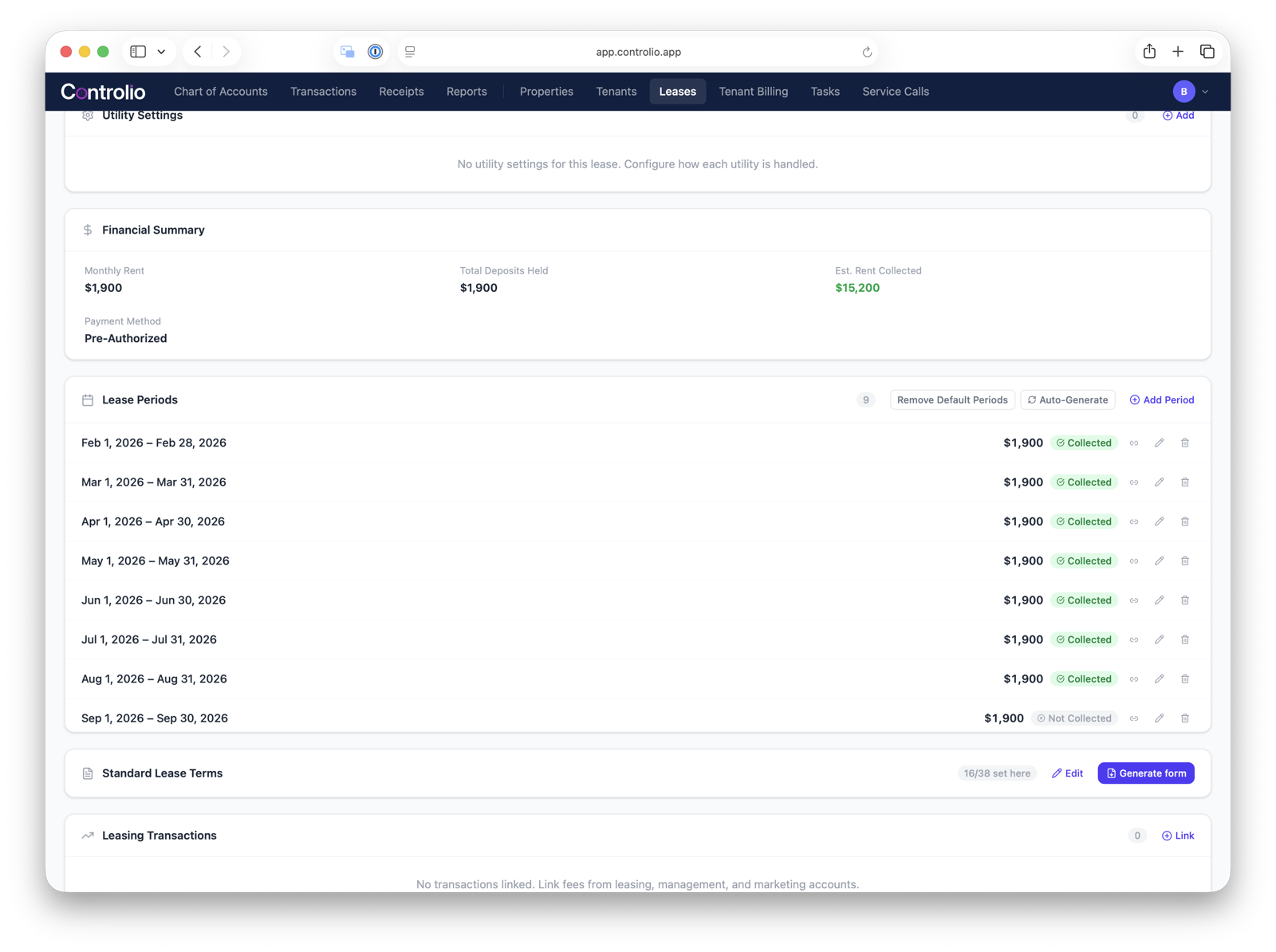
Lease periods tracked month by month, with rent collected status at a glance.
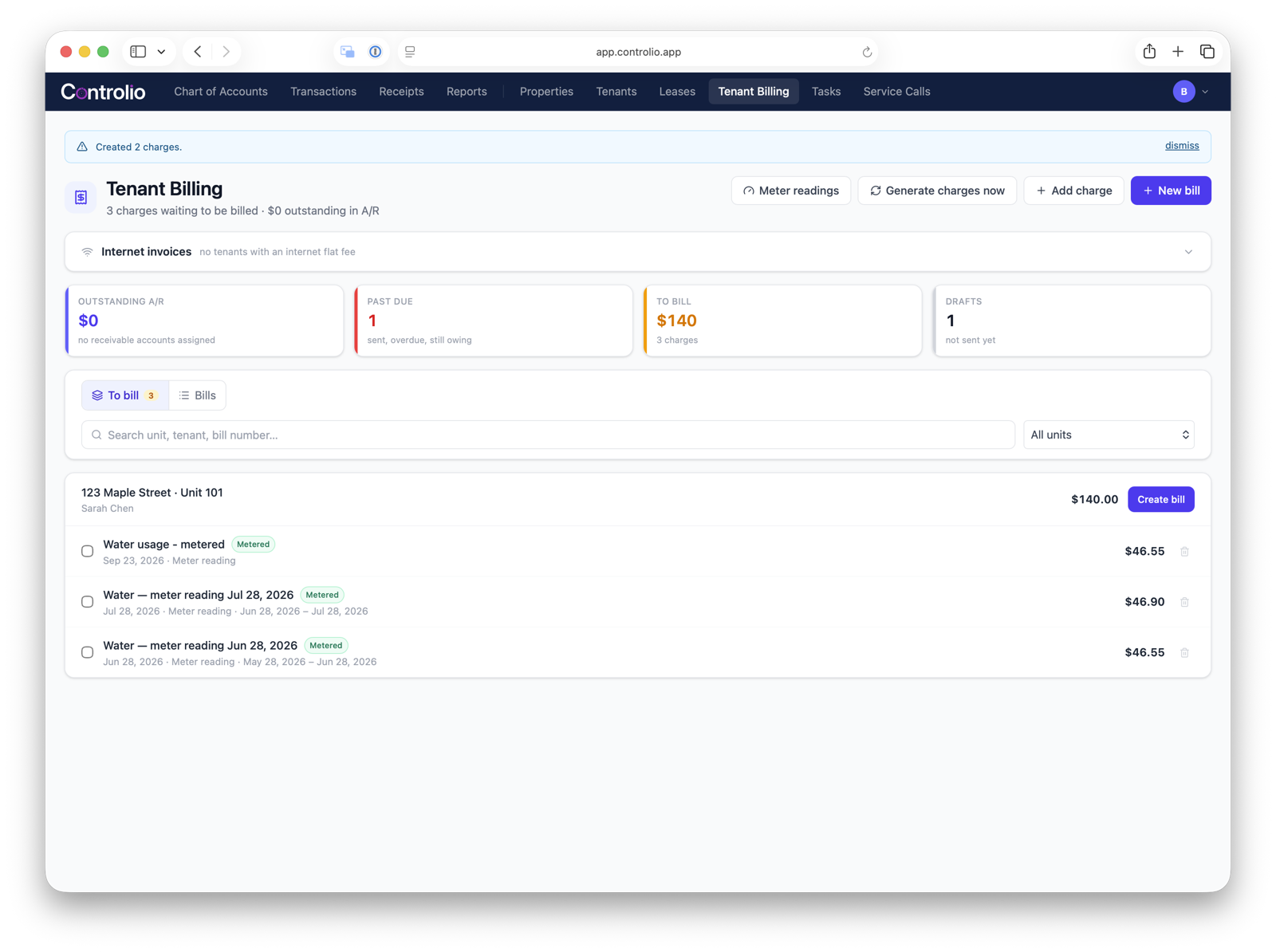
Tenant billing: charges generated automatically from meter readings and flat fees.
Tenant portal
Let tenants look things up instead of texting you for the same three answers.
"Did I pay last month?" "Where's my lease?" "How do I submit a repair?" A tenant portal that actually has their data in it means they stop asking and you stop answering.
- DocumentsLease paperwork and appliance manuals, shared automatically. Tenants access their own docs without asking.
- Payment historyTenants see their full payment record, always current.
- AnnouncementsA shared board for building-wide updates. One post instead of texting every unit.
- Service requestsTenants submit requests with appliance details attached. One click emails your technician.
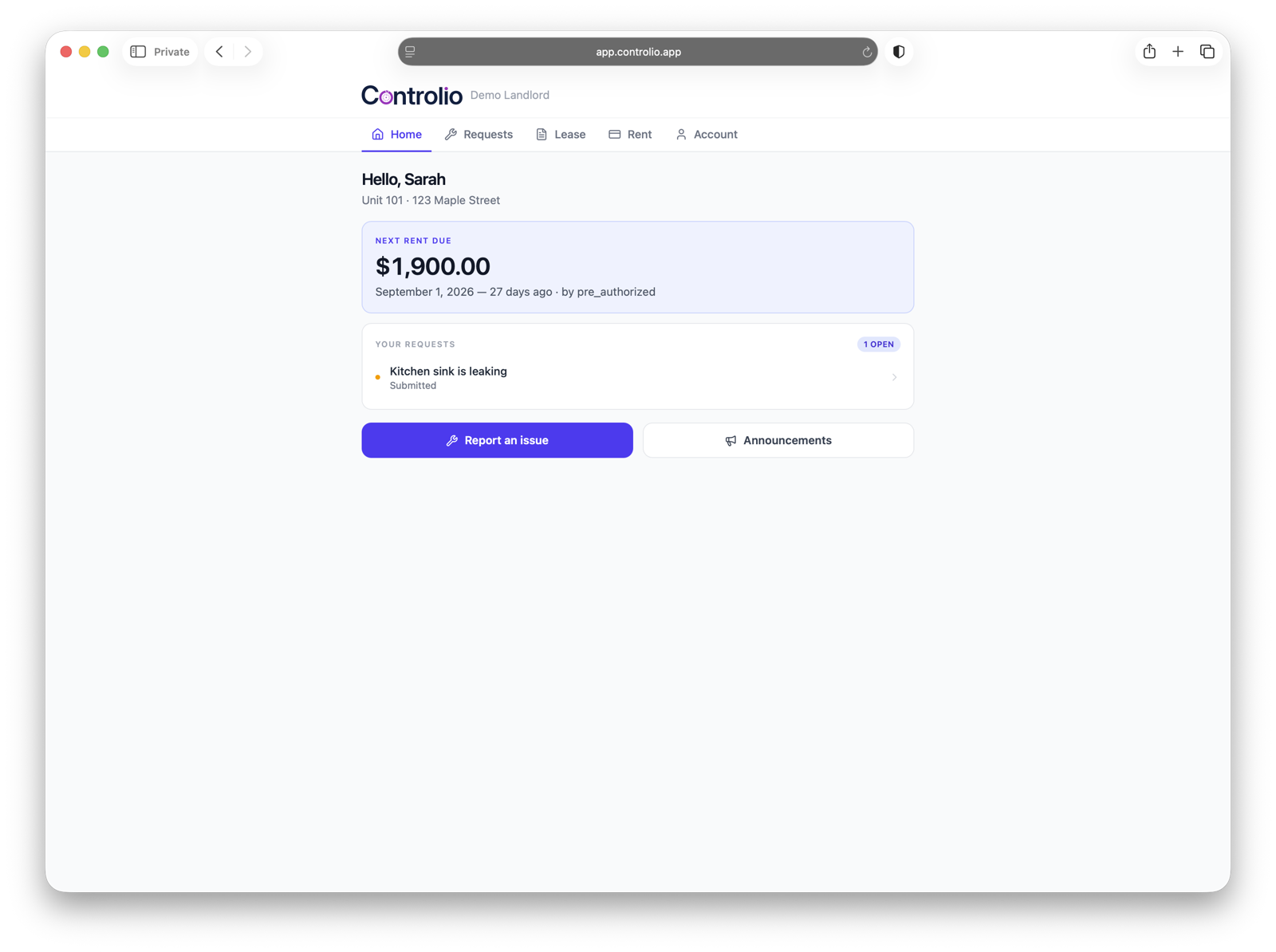
Home: next rent due, open requests, and one-click actions to report an issue or view announcements.
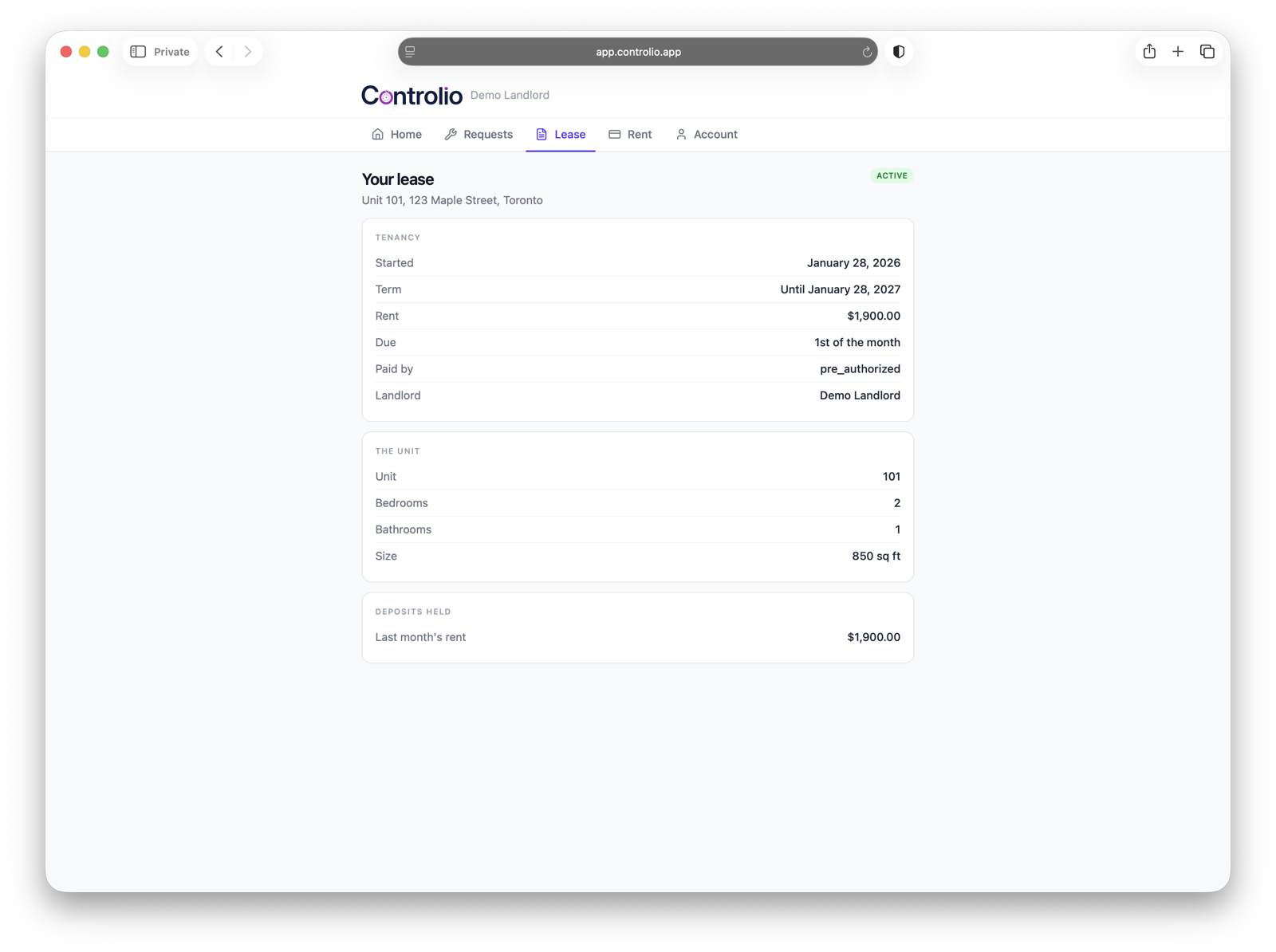
The tenant's own lease — term, rent, unit details and deposits held, always up to date.
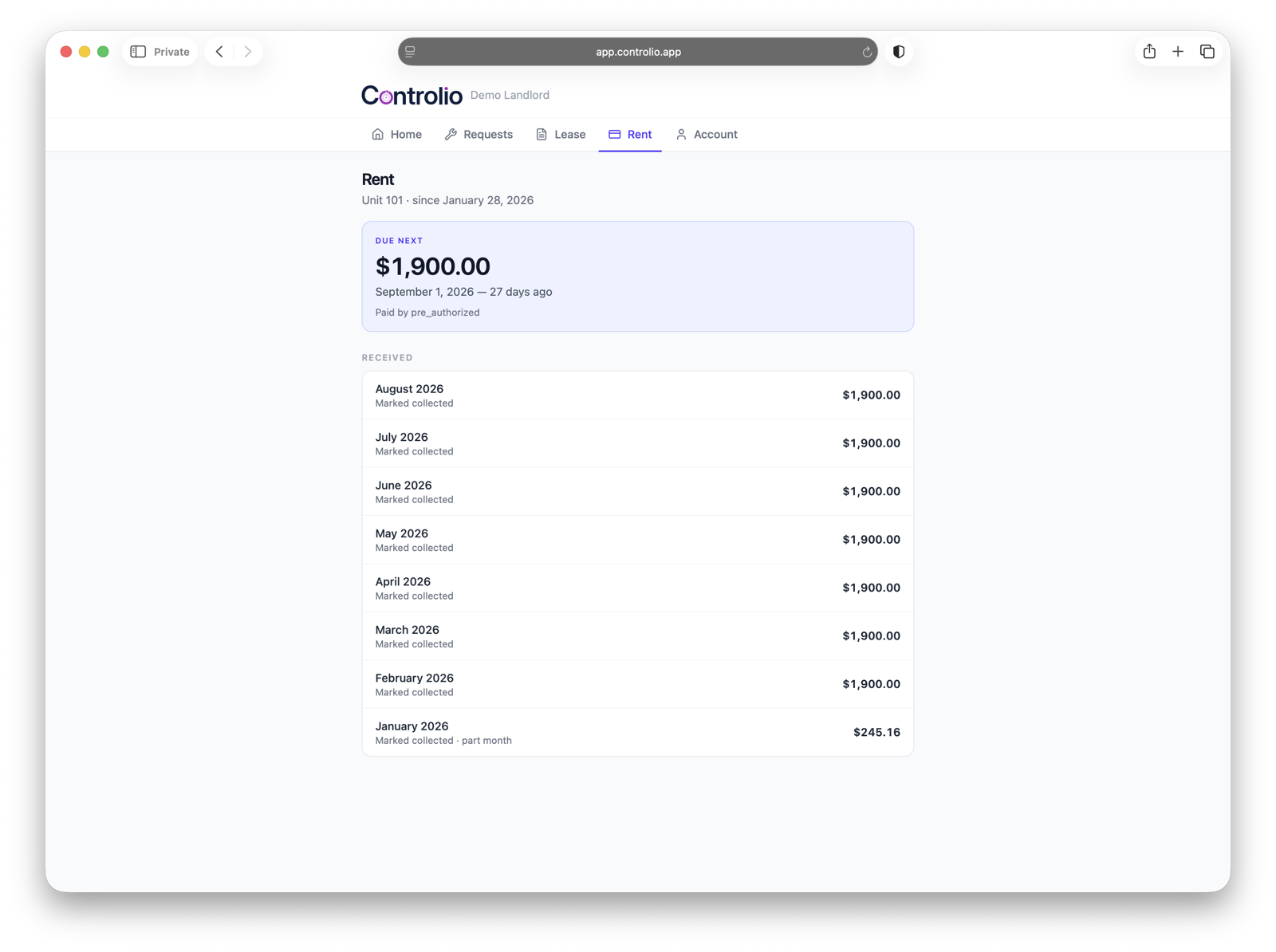
Full rent payment history, with the next due date and how it's paid.
Portfolio and access
You shouldn't have to log out and log back in to see your other building.
If your properties sit in more than one corporation, most tools make you manage them as completely separate accounts. This doesn't. One login, every entity, each with its own books that reconcile to each other.
- Multi-entity managementManage multiple properties or companies from one account, each with its own books. Switch entities without logging out.
- Team roles and permissionsOwner, manager, contributor, viewer. Control who can see and change what.
- Portfolio dashboardCash position, occupancy, overdue rent, and open maintenance in one view across the whole portfolio.
The portfolio dashboard, showing every entity at a glance.
Switching entities and managing team roles from one account.
Maintenance Coming soon
Track repairs to the unit, not in a text thread you'll never find again.
Simplify maintenance for buildings with auto-drafted emails and messages to your preferred contractors.
- Work ordersWork orders are automatically created with all of the details the technician would need, based on tickets created by tenants. You just review the ticket and approve the technician work order creation.
- Vendor and contractor directoryRoute service requests to your preferred contractor, automatically.
See it on your own portfolio.
Free during beta. We set it up from your records during a complementary onboarding call.
Get started